


Power Point Plank
What is the Power Point Plank?
The Power Point Plank is an isometric hold that targets the abs, with help from the shoulders, triceps and glutes, done using only your body weight.
The power point plank is a dynamic core exercise that involves transitioning between a high plank and a forearm plank position, challenging core stability, shoulder strength, and coordination.
How to do the Power Point Plank
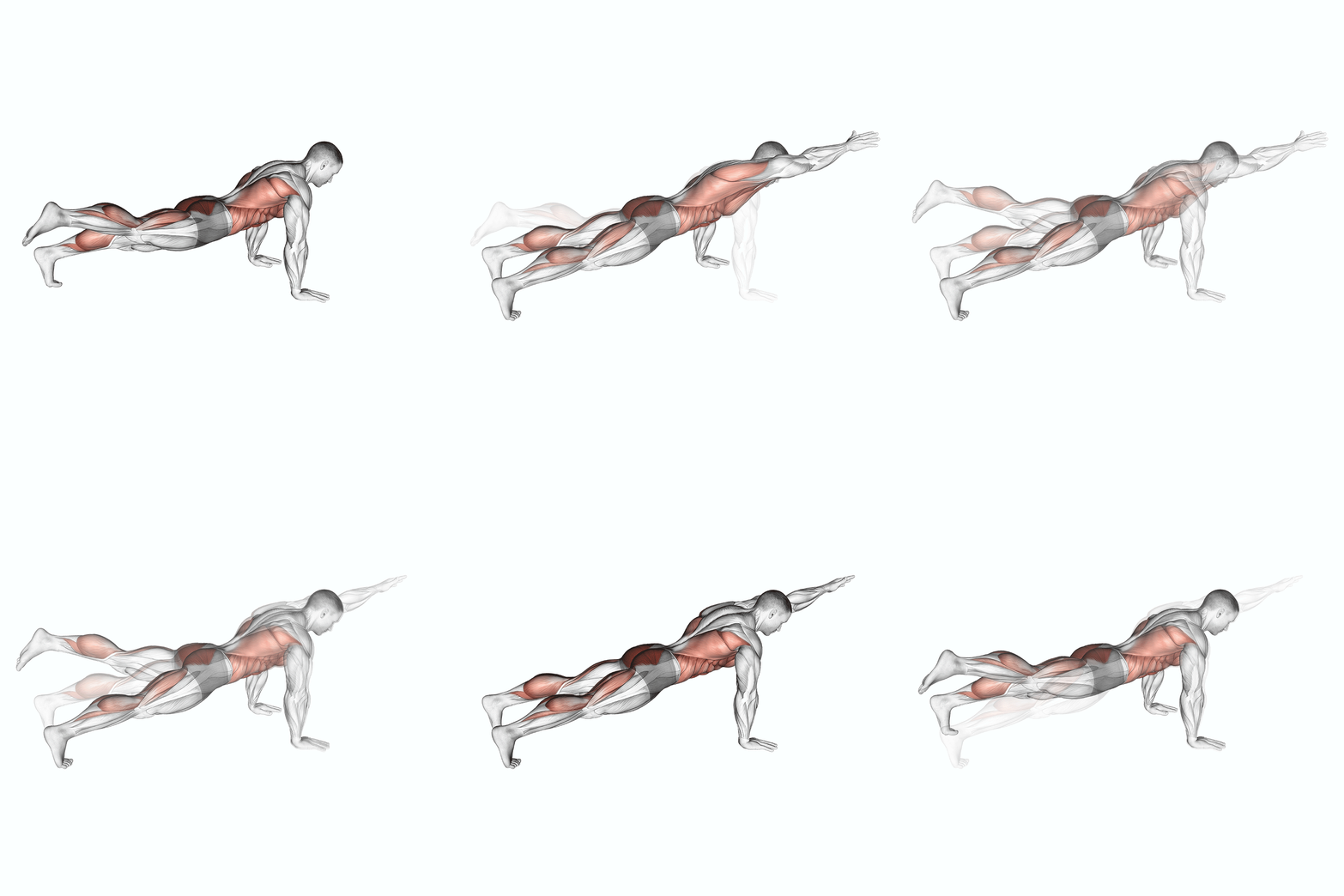
- 1
Start in a high plank position with your hands directly under your shoulders and your body in a straight line from head to toe.
- 2
Engage your core and squeeze your glutes to maintain a stable position.
- 3
Lower your body down onto your forearms, one arm at a time, maintaining a straight line from head to toe.
- 4
Hold this position for the desired amount of time, keeping your core and glutes engaged.
- 5
To return to the starting position, push through your forearms and lift your body back up into a high plank position.
- 6
Repeat for the desired number of repetitions.
Power Point Plank Muscles Worked
The primary muscle group worked during the Power Point Plank is the abs. Secondary muscles including the shoulders, triceps and glutes assist throughout the movement, contributing to stability and force production.
- Primary muscle
- Abs
- Secondary muscles
- Shoulders, Triceps, Glutes
- Body part
- Waist
- Movement type
- Isometric hold
- Equipment needed
- No weights needed, just an exercise mat (optional).
How long to hold the Power Point Plank
The Power Point Plank is an isometric hold: your muscles work without moving, so you plan it in seconds rather than reps.
| Goal | Sets | Hold | Rest |
|---|---|---|---|
| Getting started | 2 to 3 | 15 to 30 sec | 30 to 60 sec |
| Building up | 3 | 30 to 60 sec | 45 to 60 sec |
| Advanced | 3 to 4 | 60+ sec, or add load | 60 sec |
- Add about 5 to 10 seconds per week; once a 60 second hold is easy, make it harder with a variation or added load instead of holding longer.
- Brace as if you were about to be poked in the stomach, keep breathing, and end the set when your hips sag or rise.
Power Point Plank Alternatives
These exercises also train the abs, each with different equipment, so you can swap one in when your gym is busy, you train at home or you want a change.
- Dumbbell Side BendDumbbellWant more resistance? Dumbbells train each side on its own, which helps even out strength differences.
- Weighted Front PlankWeightedWant more resistance? Adding a plate, vest or belt keeps it challenging once bodyweight reps get easy.
- Cable Kneeling CrunchCableWant more resistance? The cable keeps tension on the abs through the whole range of motion.
- Band V-UpBandA band is light and portable, good for home workouts, travel or warm-up sets.
Exercises That Pair Well With the Power Point Plank
For a short core workout, pair the Power Point Plank with 2 to 3 sets of each of these, resting about a minute between sets.
More Abs Exercises
- Prisoner Half Sit-Up · Body Weight
- Prone Twist On Stability Ball · Stability Ball
- Pull-In (On Stability Ball) · Stability Ball
- Push-Up To Side Plank · Body Weight
- Quarter Sit-Up · Body Weight
- Reverse Crunch · Body Weight
Track the Power Point Plank in YourFit
- Add the Power Point Plank to any workout and log it in a few taps.
- Your previous sessions show next to each set, so progress is easy to see.
- Your whole training history stays in one place, synced across devices.